
How Trading Card Releases Work: Series 1, Series 2, Update, Chrome, Draft, And Extended Sets
Learn how trading card releases work, including Series 1, Series 2, Update, Chrome, Draft, extended sets, product lines, and release structure.

Trading card releases can feel confusing when you are new to collecting.
You might hear collectors talk about Series 1, Series 2, Update, Chrome, Draft, Sapphire, Holiday, Extended, First Edition, retail blasters, hobby boxes, jumbo boxes, and all kinds of product names that sound related but not exactly the same.
That confusion is normal.
The hobby does not always use simple language. A single card can be tied to a manufacturer, brand, product family, product year, release type, treatment, checklist, format, and configuration. If those pieces get mixed together, collectors can end up misunderstanding what card they actually own.
That is why trading card releases need structure.
A release is not just a box on a shelf. It is part of a product system. Once you understand how that system works, it becomes much easier to identify cards, track sets, compare versions, and understand where your collection fits.
What Is A Trading Card Release?
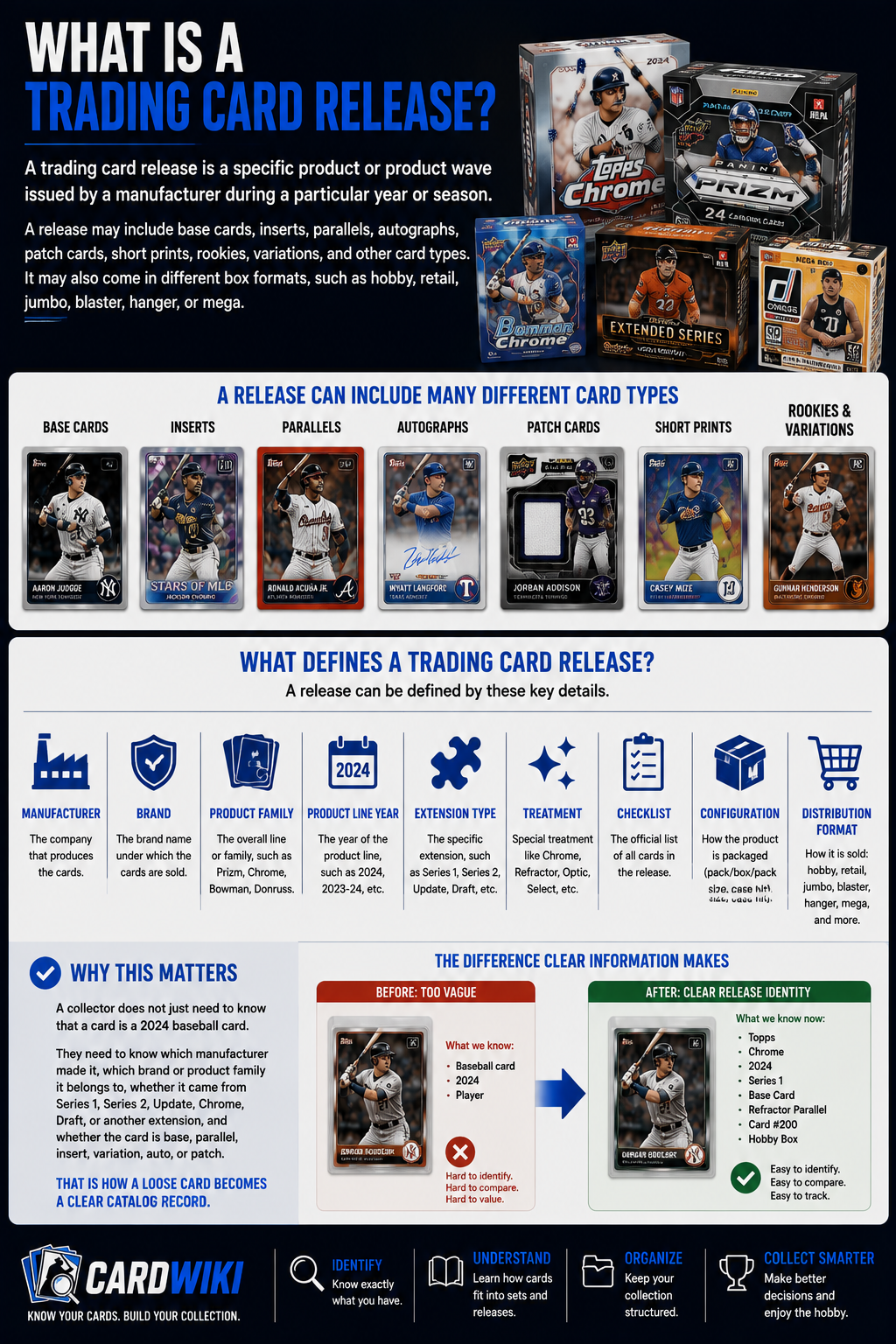
A trading card release is a specific product or product wave issued by a manufacturer during a particular year or season.
A release may include base cards, inserts, parallels, autographs, patch cards, short prints, rookies, variations, and other card types. It may also come in different box formats, such as hobby, retail, jumbo, blaster, hanger, or mega.
A release can be defined by details like:
- Manufacturer
- Brand
- Product Family
- Product Line Year
- Extension Type
- Treatment
- Checklist
- Configuration
- Distribution Format
That sounds technical, but it matters.
A collector does not just need to know that a card is a 2024 baseball card. They need to know which manufacturer made it, which brand or product family it belongs to, whether it came from Series 1, Series 2, Update, Chrome, Draft, or another extension, and whether the card is base, parallel, insert, variation, auto, or patch.
That is how a loose card becomes a clear catalog record.
Why Trading Card Releases Get Confusing
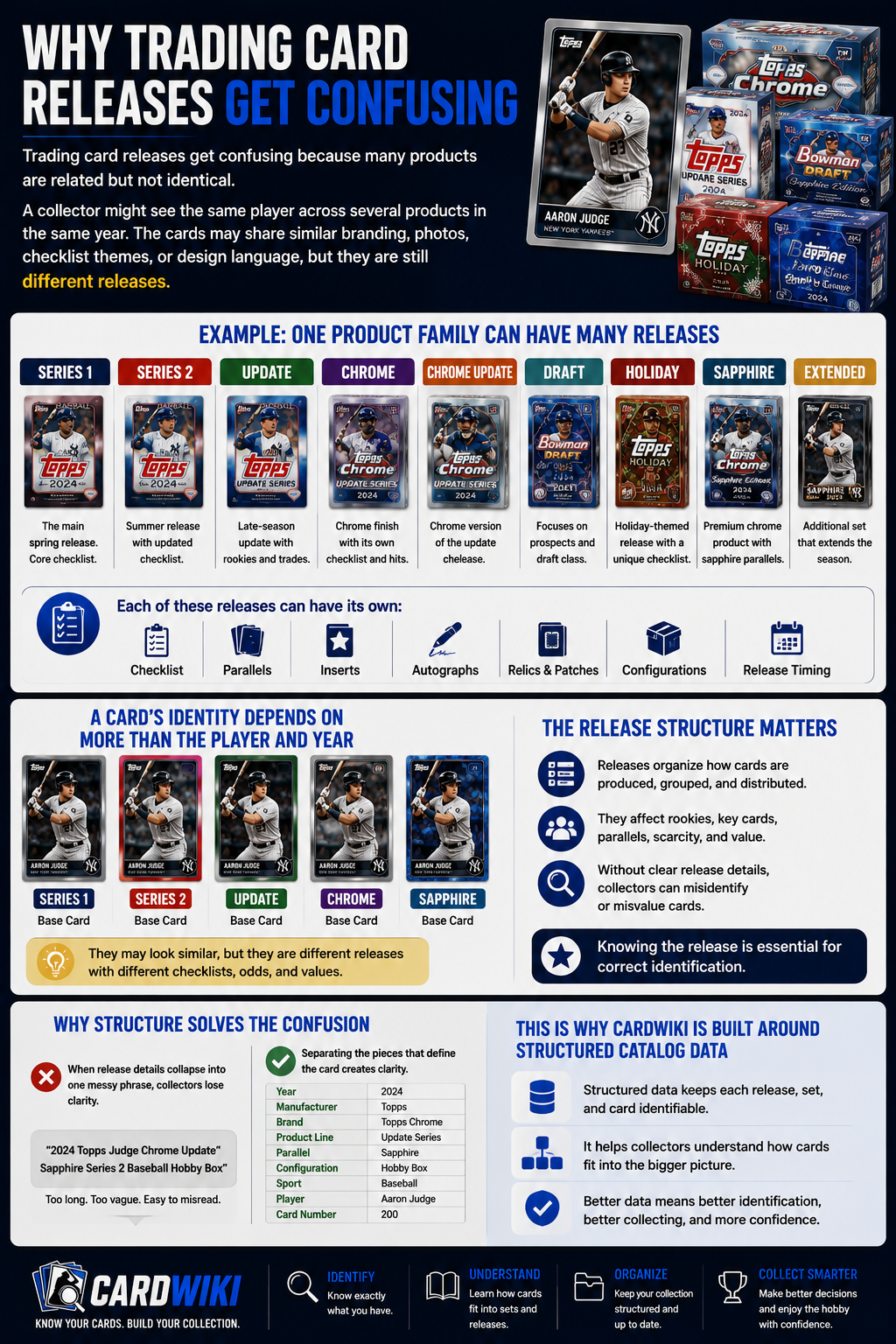
Trading card releases get confusing because many products are related but not identical.
A collector might see the same player across several products in the same year. The cards may share similar branding, photos, checklist themes, or design language, but they are still different releases.
For example, one product family might include:
- Series 1
- Series 2
- Update
- Chrome
- Chrome Update
- Draft
- Holiday
- Sapphire
- Extended
Each of those can have its own checklist, parallels, inserts, configurations, and release timing.
That means a card’s identity depends on more than the player and year. The release structure matters.
This is why CardWiki is built around structured catalog data. If release details collapse into one messy phrase, collectors lose clarity. The better approach is to separate the pieces that define the card.
Manufacturer, Brand, Product Family, And Product Line Year
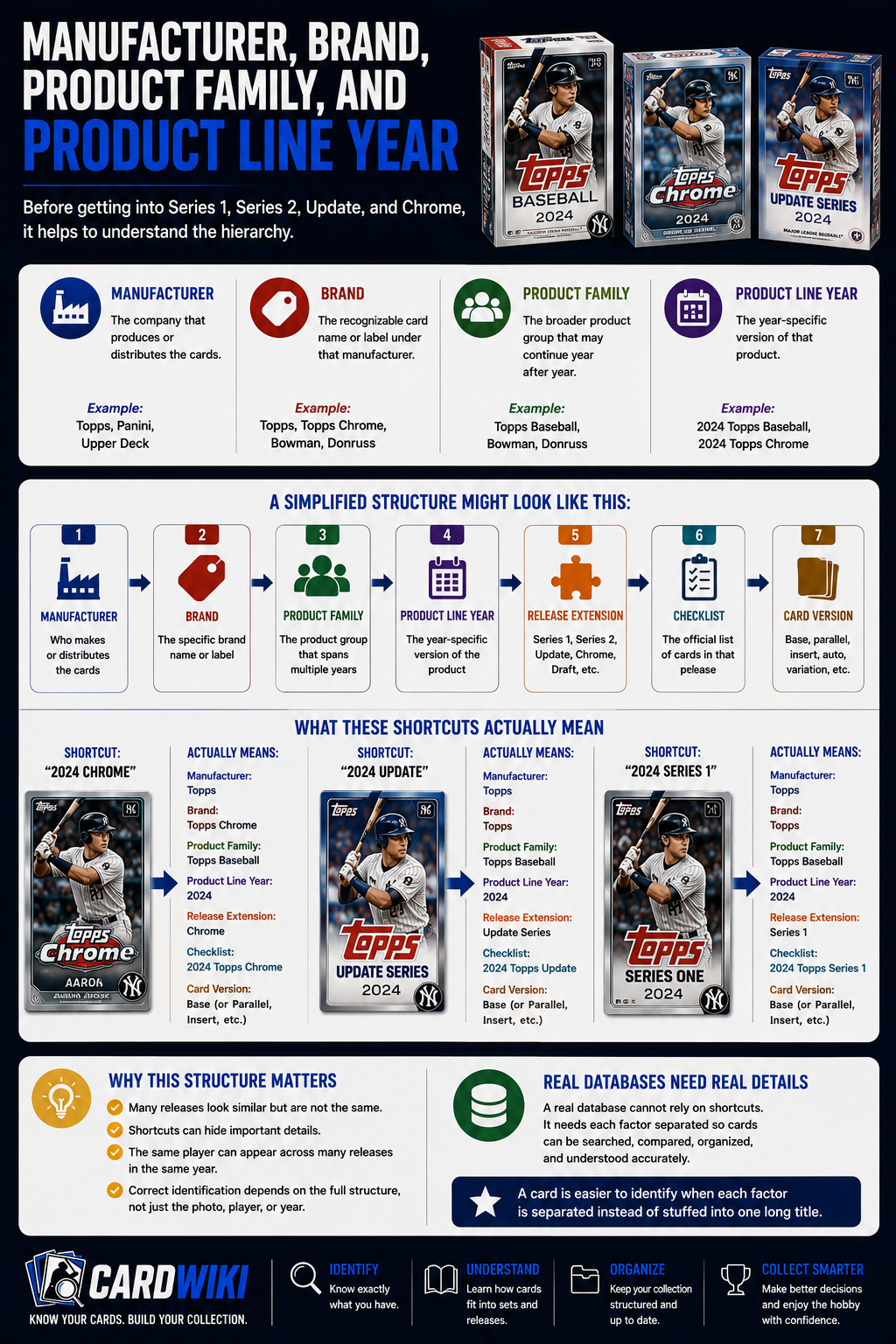
Before getting into Series 1, Series 2, Update, and Chrome, it helps to understand the hierarchy.
A manufacturer is the company that produces or distributes the cards.
A brand is the recognizable card name or label under that manufacturer.
A product family is the broader product group that may continue year after year.
A product line year is the year-specific version of that product.
A simplified structure might look like this:
- Manufacturer
- Brand
- Product Family
- Product Line Year
- Release Extension
- Checklist
- Card Version
This structure matters because collectors often use shortcuts. They may say “2024 Chrome” or “2024 Update,” but a real database needs to know exactly what those words mean.
A card is easier to identify when each factor is separated instead of stuffed into one long title.
What Is Series 1?
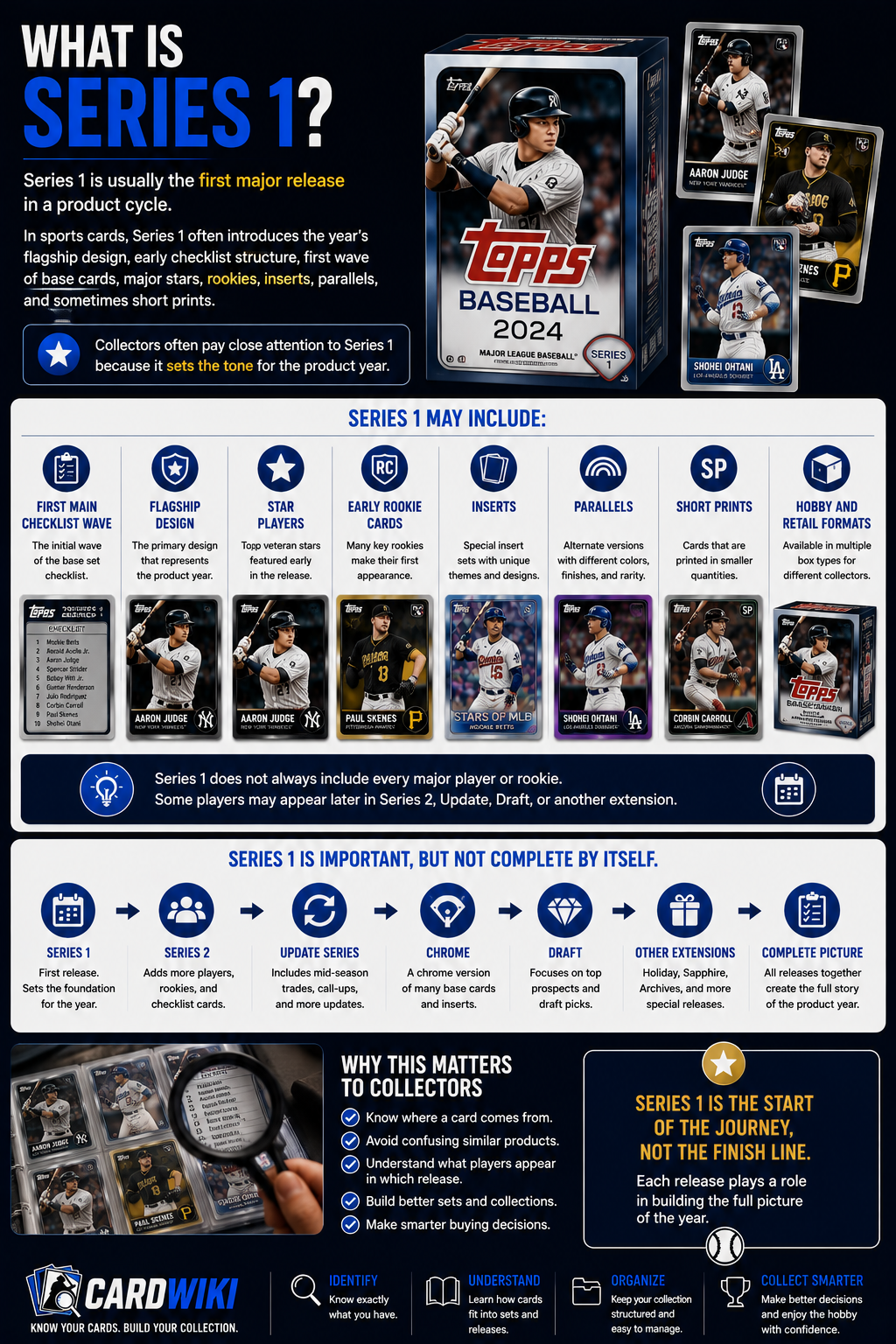
Series 1 is usually the first major release in a product cycle.
In sports cards, Series 1 often introduces the year’s flagship design, early checklist structure, first wave of base cards, major stars, rookies, inserts, parallels, and sometimes short prints.
Collectors often pay close attention to Series 1 because it sets the tone for the product year.
Series 1 may include:
- First Main Checklist Wave
- Flagship Design
- Star Players
- Early Rookie Cards
- Inserts
- Parallels
- Short Prints
- Hobby And Retail Formats
Series 1 does not always include every major player or rookie. Some players may appear later in Series 2, Update, Draft, or another extension.
That is why Series 1 is important, but not complete by itself.
What Is Series 2?
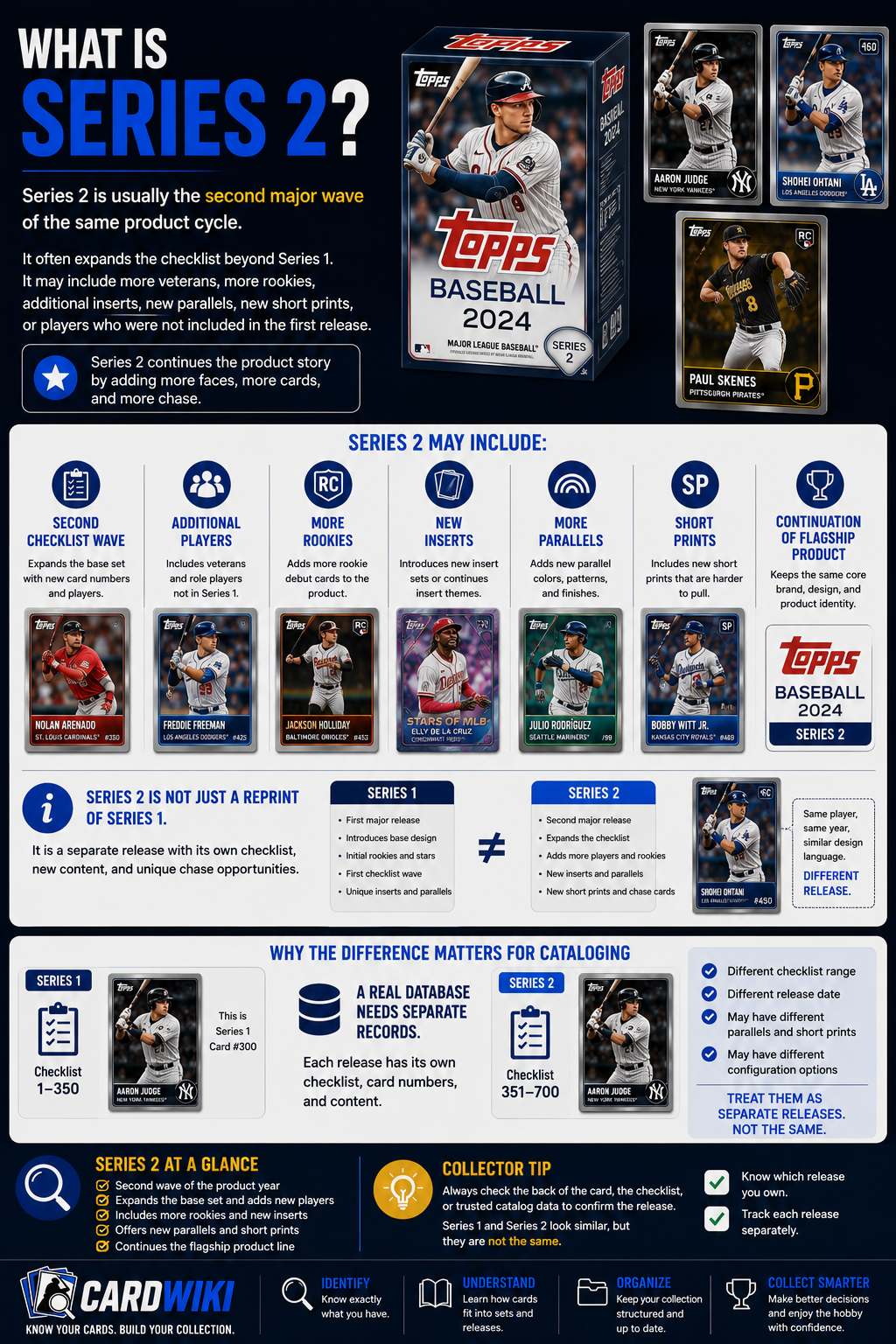
Series 2 is usually the second major wave of the same product cycle.
It often expands the checklist beyond Series 1. It may include more veterans, more rookies, additional inserts, new parallels, new short prints, or players who were not included in the first release.
Series 2 may include:
- Second Checklist Wave
- Additional Players
- More Rookies
- New Inserts
- More Parallels
- Short Prints
- Continuation Of The Flagship Product
Series 2 is not just a reprint of Series 1. It is usually a separate release connected to the same broader product family.
This distinction matters for cataloging. A card from Series 2 should not be treated as the same release as Series 1, even if the design language is similar.
What Is An Update Set?
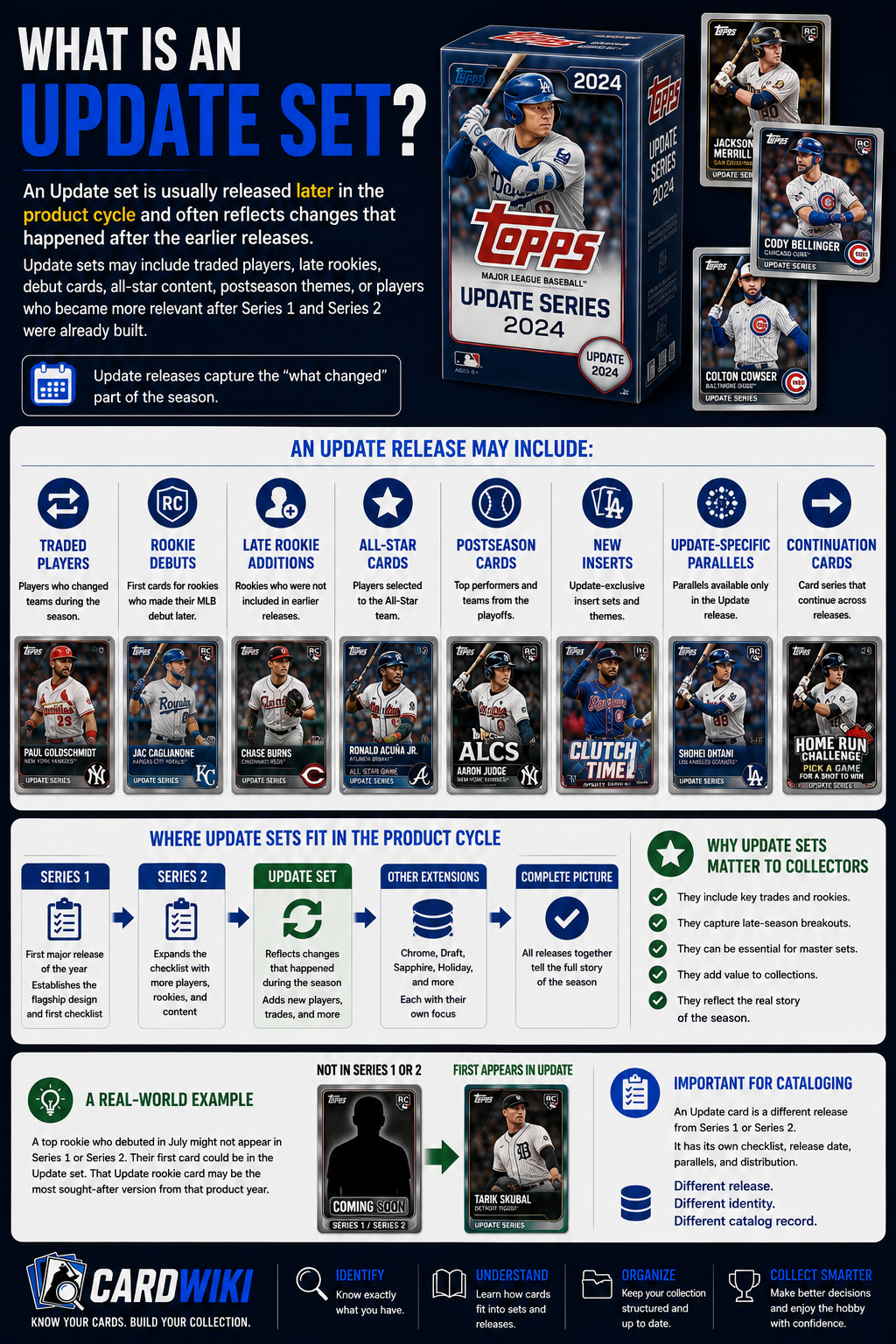
An Update set is usually released later in the product cycle and often reflects changes that happened after the earlier releases.
Update sets may include traded players, late rookies, debut cards, all-star content, postseason themes, or players who became more relevant after Series 1 and Series 2 were already built.
An Update release may include:
- Traded Players
- Rookie Debuts
- Late Rookie Additions
- All-Star Cards
- Postseason Cards
- New Inserts
- Update-Specific Parallels
- Continuation Cards
Update sets are important because they often capture the “what changed” part of a season.
For collectors, that can make Update releases especially relevant when a major rookie or breakout player was not included earlier.
Series 1 Vs Series 2 Vs Update
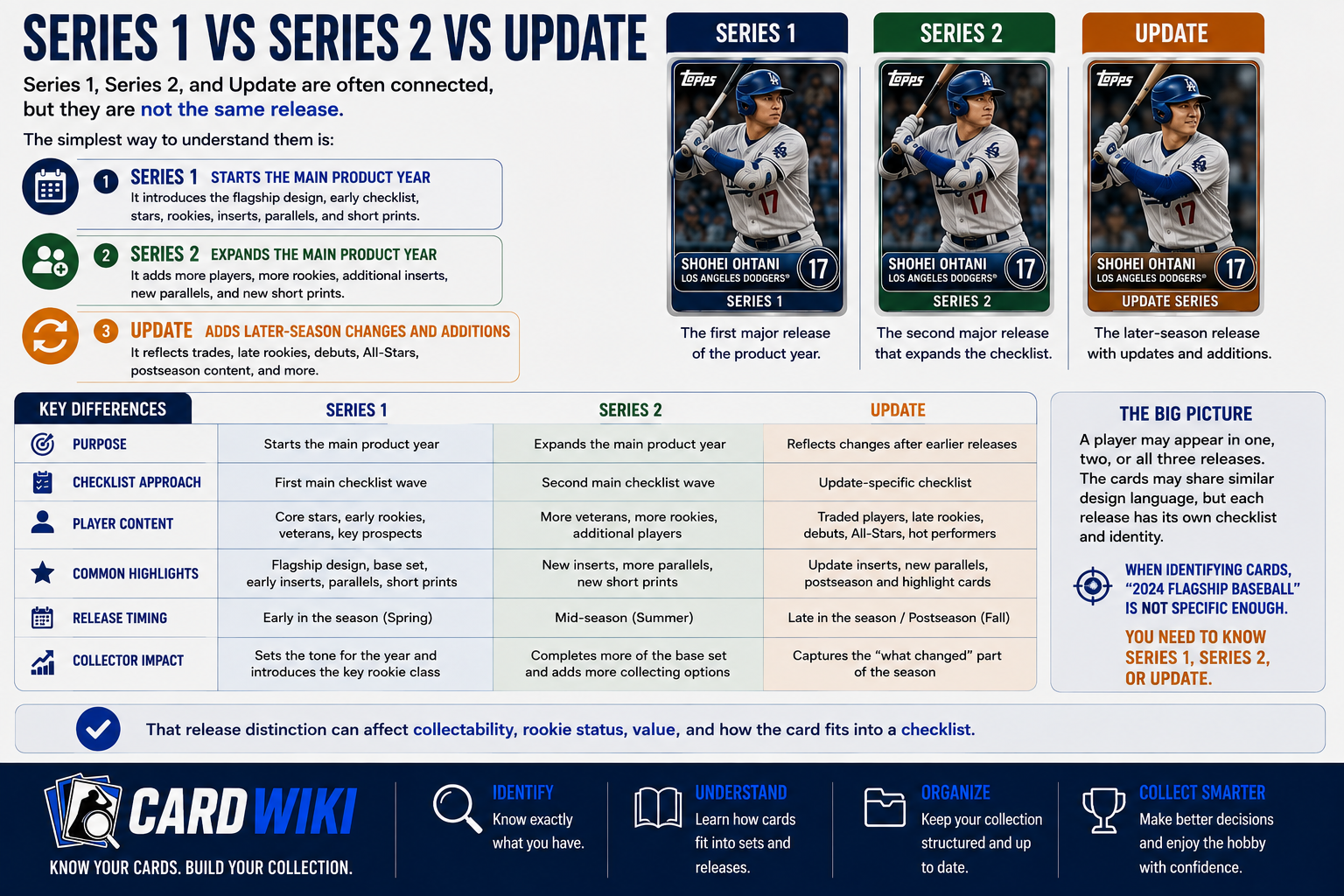
Series 1, Series 2, and Update are often connected, but they are not the same release.
The simplest way to understand them is:
- Series 1 Starts The Main Product Year
- Series 2 Expands The Main Product Year
- Update Adds Later-Season Changes And Additions
A player may appear in one, two, or all three. The cards may share similar design language, but each release has its own checklist and identity.
This matters when tracking cards because “2024 flagship baseball” may not be specific enough. You need to know whether the card is Series 1, Series 2, or Update.
That release distinction can affect collectability, rookie status, value, and how the card fits into a checklist.
What Is Chrome?
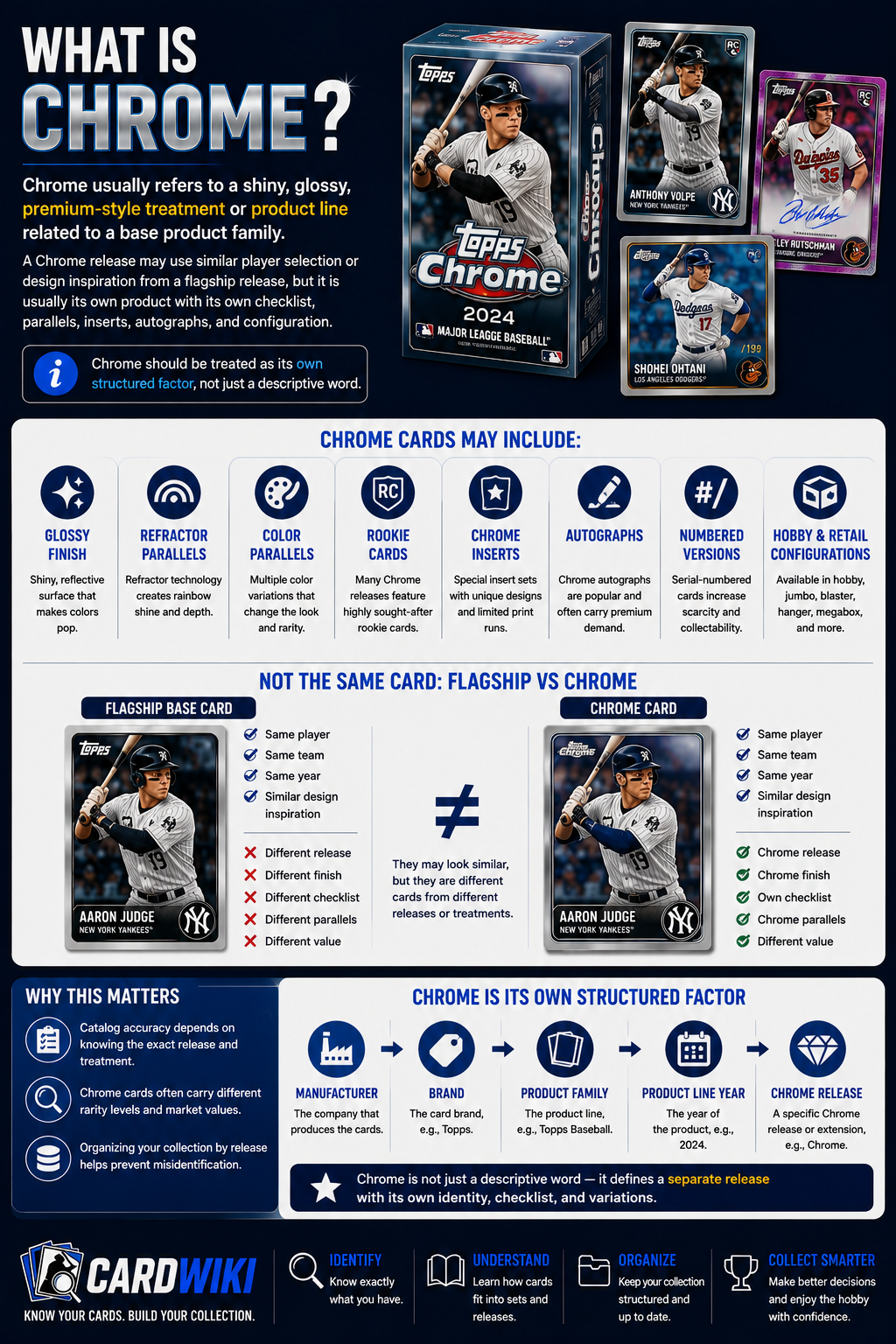
Chrome usually refers to a shiny, glossy, premium-style treatment or product line related to a base product family.
A Chrome release may use similar player selection or design inspiration from a flagship release, but it is usually its own product with its own checklist, parallels, inserts, autographs, and configuration.
Chrome cards may include:
- Glossy Finish
- Refractor Parallels
- Color Parallels
- Rookie Cards
- Chrome Inserts
- Autographs
- Numbered Versions
- Hobby And Retail Configurations
This is where collectors sometimes get confused.
A flagship base card and a Chrome card of the same player are not the same card. They may be connected by product family or design, but they belong to different releases or treatments.
Chrome should be treated as its own structured factor, not just a descriptive word.
Chrome Vs Flagship
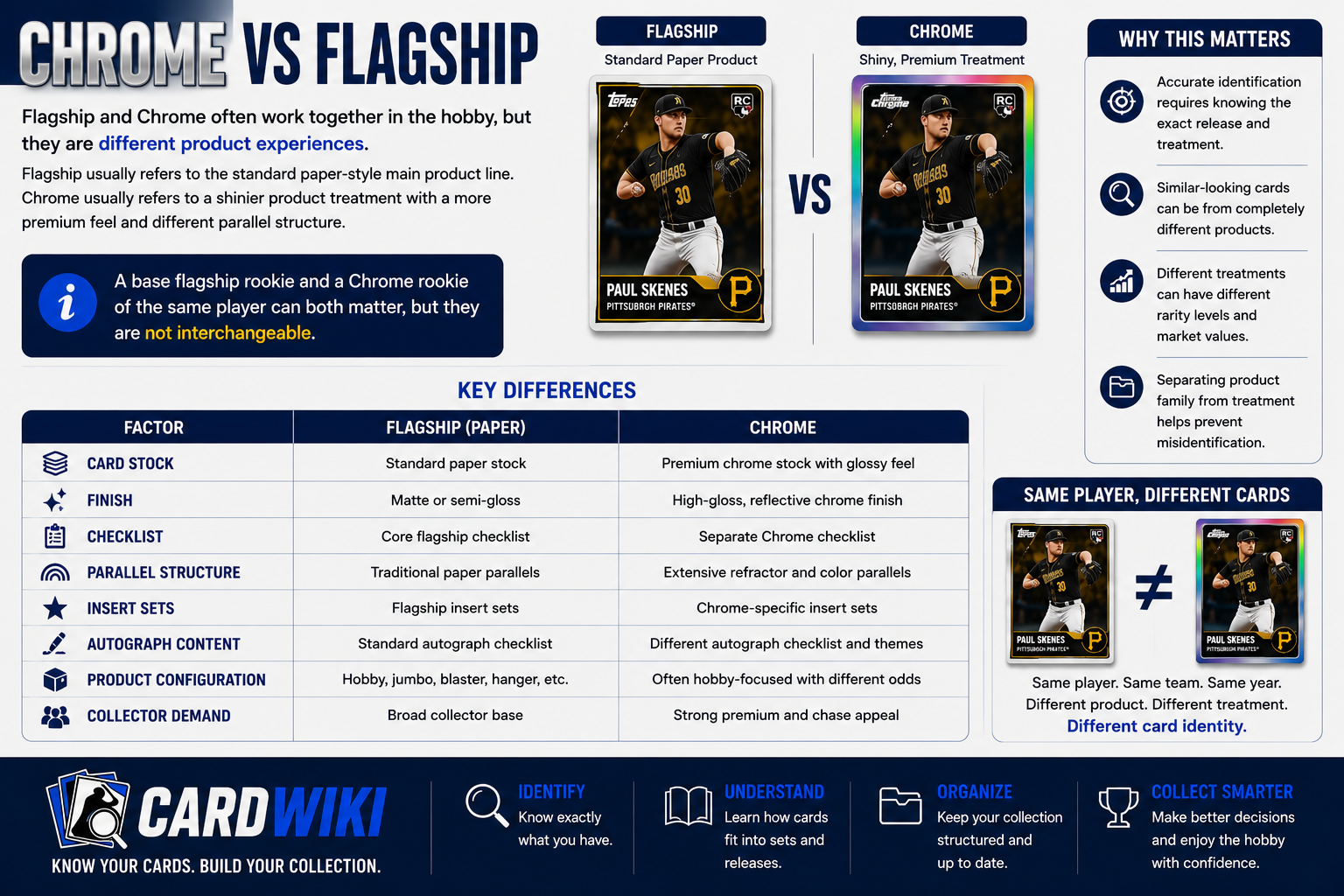
Flagship and Chrome often work together in the hobby, but they are different product experiences.
Flagship usually refers to the standard paper-style main product line. Chrome usually refers to a shinier product treatment with a more premium feel and different parallel structure.
The difference may include:
- Card Stock
- Finish
- Checklist
- Parallel Structure
- Insert Sets
- Autograph Content
- Product Configuration
- Collector Demand
A base flagship rookie and a Chrome rookie of the same player can both matter, but they are not interchangeable.
This is why CardWiki’s identity model needs to separate product family from treatment. The same player in the same product year may have multiple valid card identities depending on whether the card is flagship, Chrome, Sapphire, Holiday, or another treatment.
What Is Chrome Update?
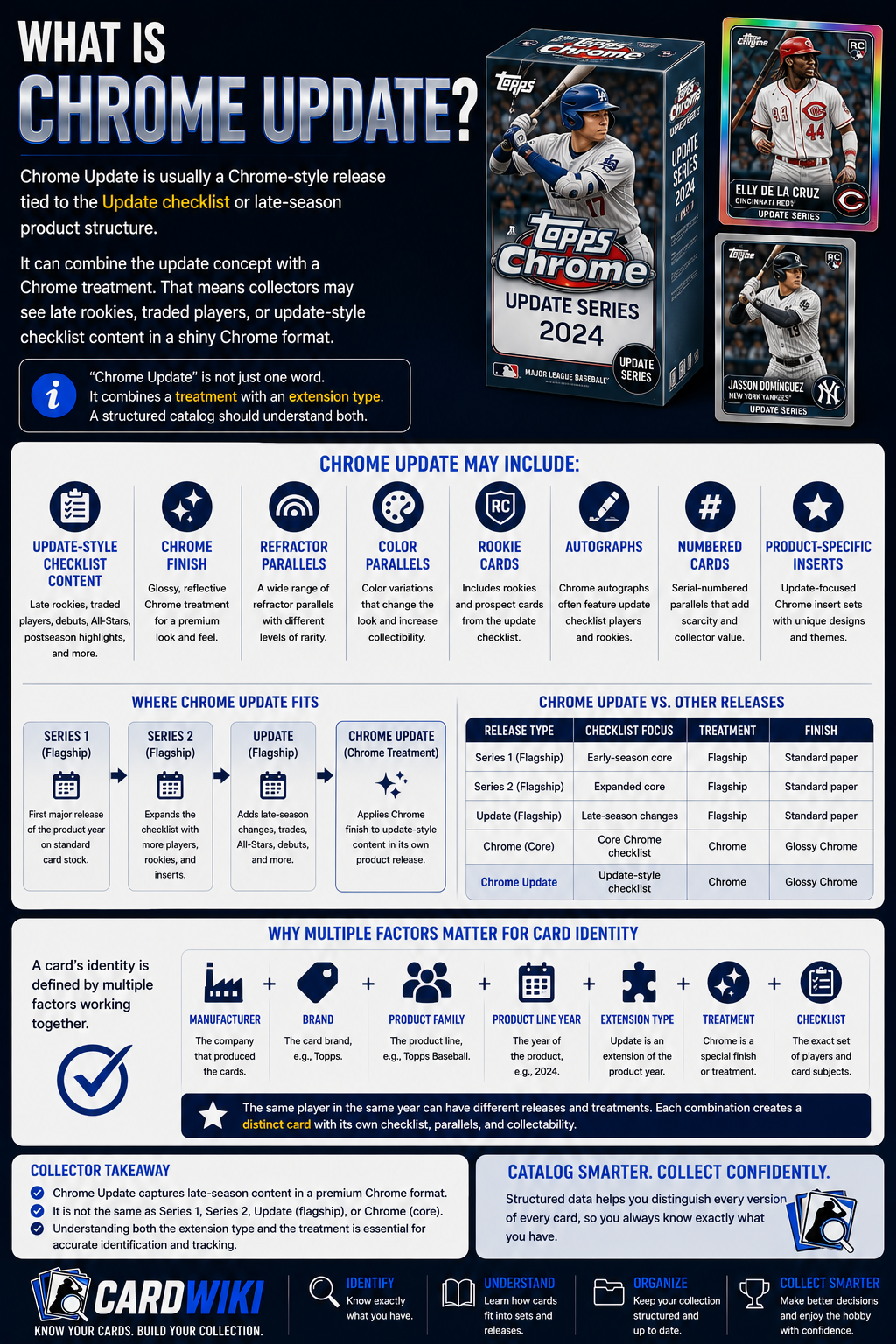
Chrome Update is usually a Chrome-style release tied to the Update checklist or late-season product structure.
It can combine the update concept with a Chrome treatment.
That means collectors may see late rookies, traded players, or update-style checklist content in a shiny Chrome format.
Chrome Update may include:
- Update-Style Checklist Content
- Chrome Finish
- Refractor Parallels
- Color Parallels
- Rookie Cards
- Autographs
- Numbered Cards
- Product-Specific Inserts
This is a great example of why release identity needs multiple factors.
“Chrome Update” is not just one word. It combines a treatment with an extension type. A structured catalog should understand both.
What Is A Draft Set?
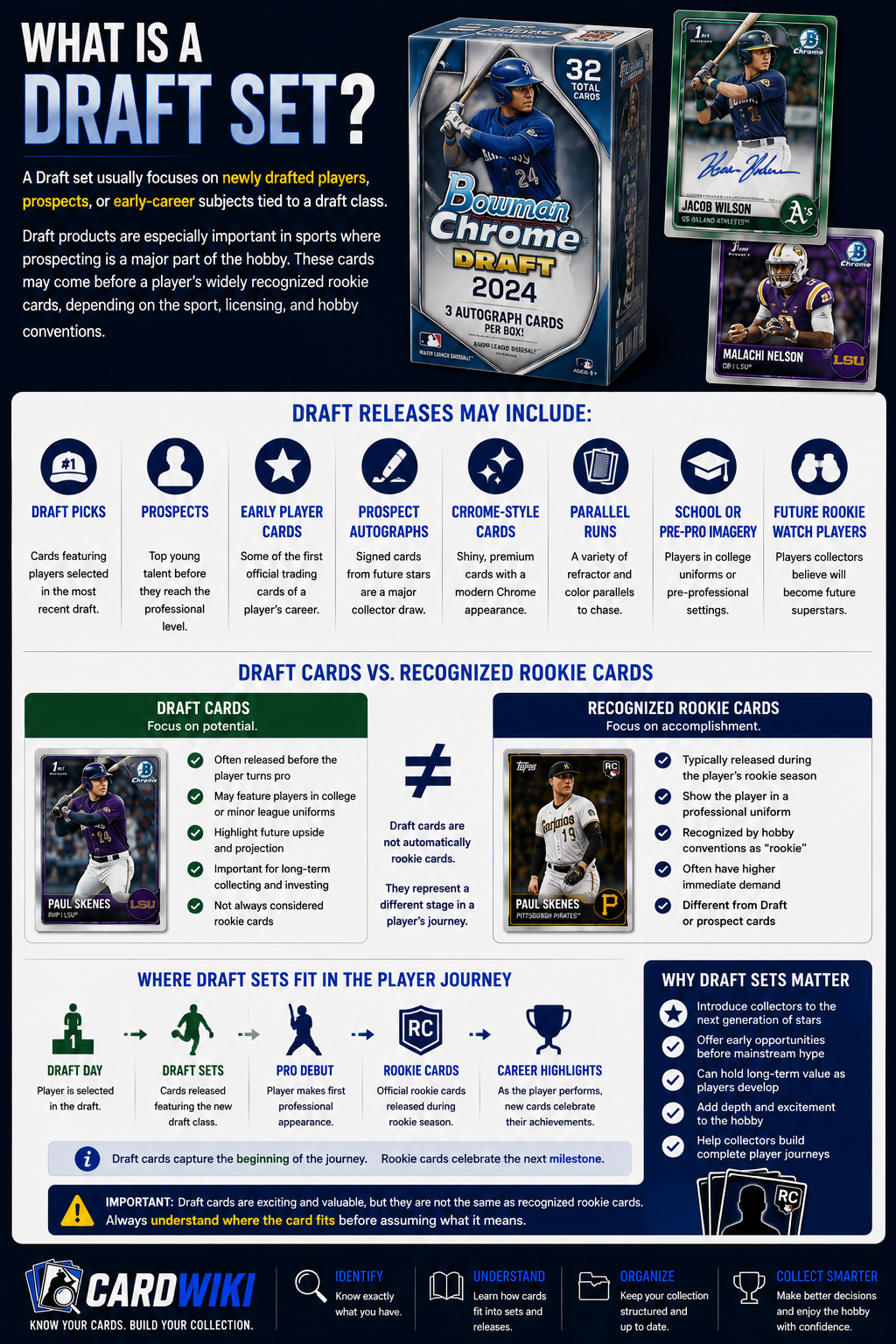
A Draft set usually focuses on newly drafted players, prospects, or early-career subjects tied to a draft class.
Draft products are especially important in sports where prospecting is a major part of the hobby. These cards may come before a player’s widely recognized rookie cards, depending on the sport, licensing, and hobby conventions.
Draft releases may include:
- Draft Picks
- Prospects
- Early Player Cards
- Prospect Autographs
- Chrome-Style Cards
- Parallel Runs
- School Or Pre-Pro Imagery
- Future Rookie Watch Players
Draft cards can be exciting because they often introduce collectors to players before they fully arrive in the professional spotlight.
That said, Draft cards are not always the same as recognized rookie cards. Collectors should understand where the card fits before assuming what it means.
Draft Cards Vs Rookie Cards
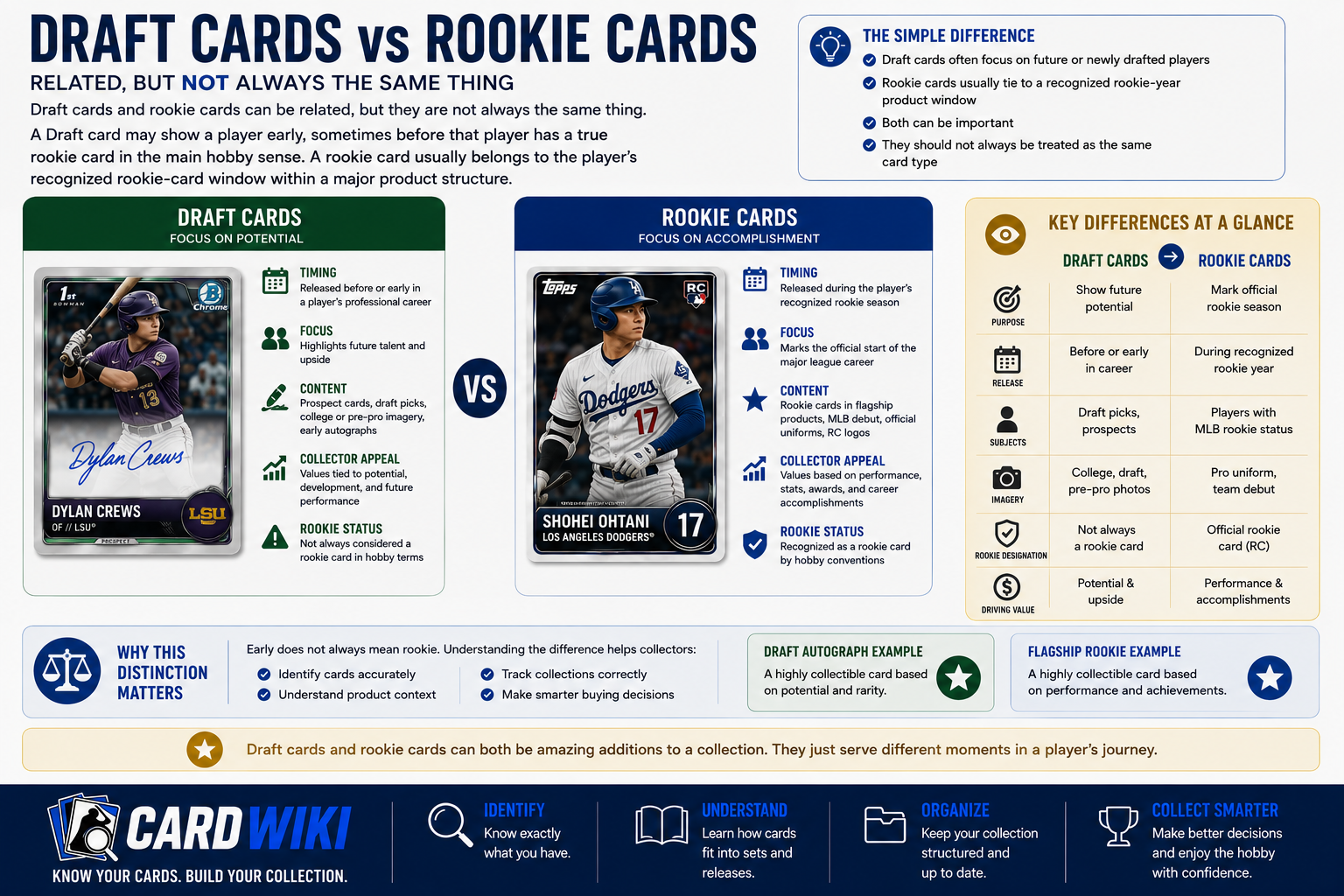
Draft cards and rookie cards can be related, but they are not always the same thing.
A Draft card may show a player early, sometimes before that player has a true rookie card in the main hobby sense. A rookie card usually belongs to the player’s recognized rookie-card window within a major product structure.
The simple difference is:
- Draft Cards Often Focus On Future Or Newly Drafted Players
- Rookie Cards Usually Tie To A Recognized Rookie-Year Product Window
- Both Can Be Important
- They Should Not Always Be Treated As The Same Card Type
This distinction matters for collectors because early does not always mean rookie.
A Draft autograph may be highly collectible. A flagship rookie card may also be highly collectible. They can both matter, but for different reasons.
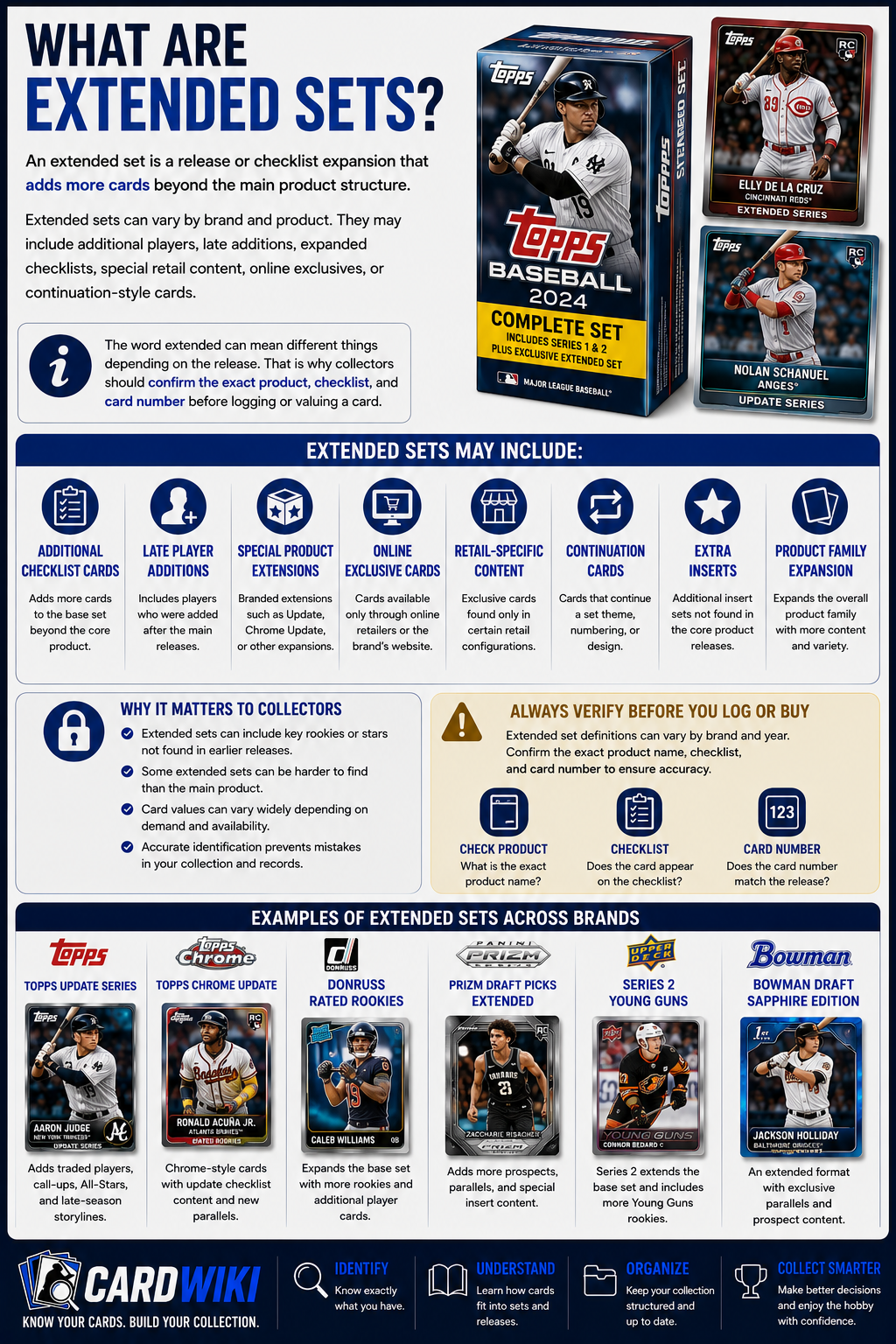
What Are Extended Sets?
An extended set is a release or checklist expansion that adds more cards beyond the main product structure.
Extended sets can vary by brand and product. They may include additional players, late additions, expanded checklists, special retail content, online exclusives, or continuation-style cards.
Extended sets may include:
- Additional Checklist Cards
- Late Player Additions
- Special Product Extensions
- Online Exclusive Cards
- Retail-Specific Content
- Continuation Cards
- Extra Inserts
- Product Family Expansion
The word extended can mean different things depending on the release. That is why collectors should confirm the exact product, checklist, and card number before logging or valuing a card.
What Are Configuration Types?
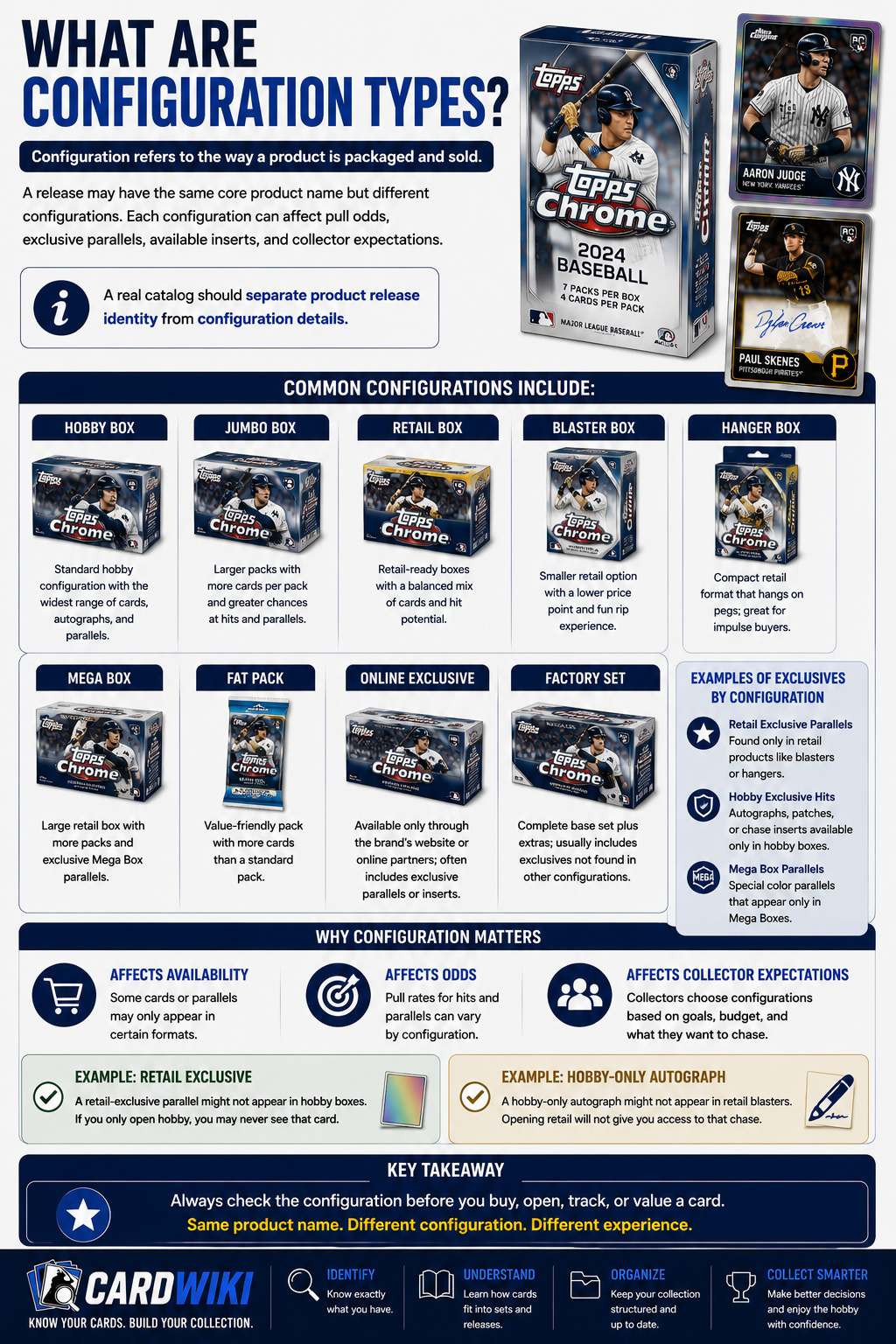
Configuration refers to the way a product is packaged and sold.
A release may have the same core product name but different configurations. Each configuration can affect pull odds, exclusive parallels, available inserts, and collector expectations.
Common configurations include:
- Hobby Box
- Jumbo Box
- Retail Box
- Blaster Box
- Hanger Box
- Mega Box
- Fat Pack
- Online Exclusive
- Factory Set
Configuration matters because some cards or parallels may only appear in certain formats.
For example, a retail-exclusive parallel might not appear in hobby boxes. A hobby-only autograph might not appear in retail blasters.
A real catalog should separate product release identity from configuration details.
Why Configuration Should Not Be Mixed With Card Identity
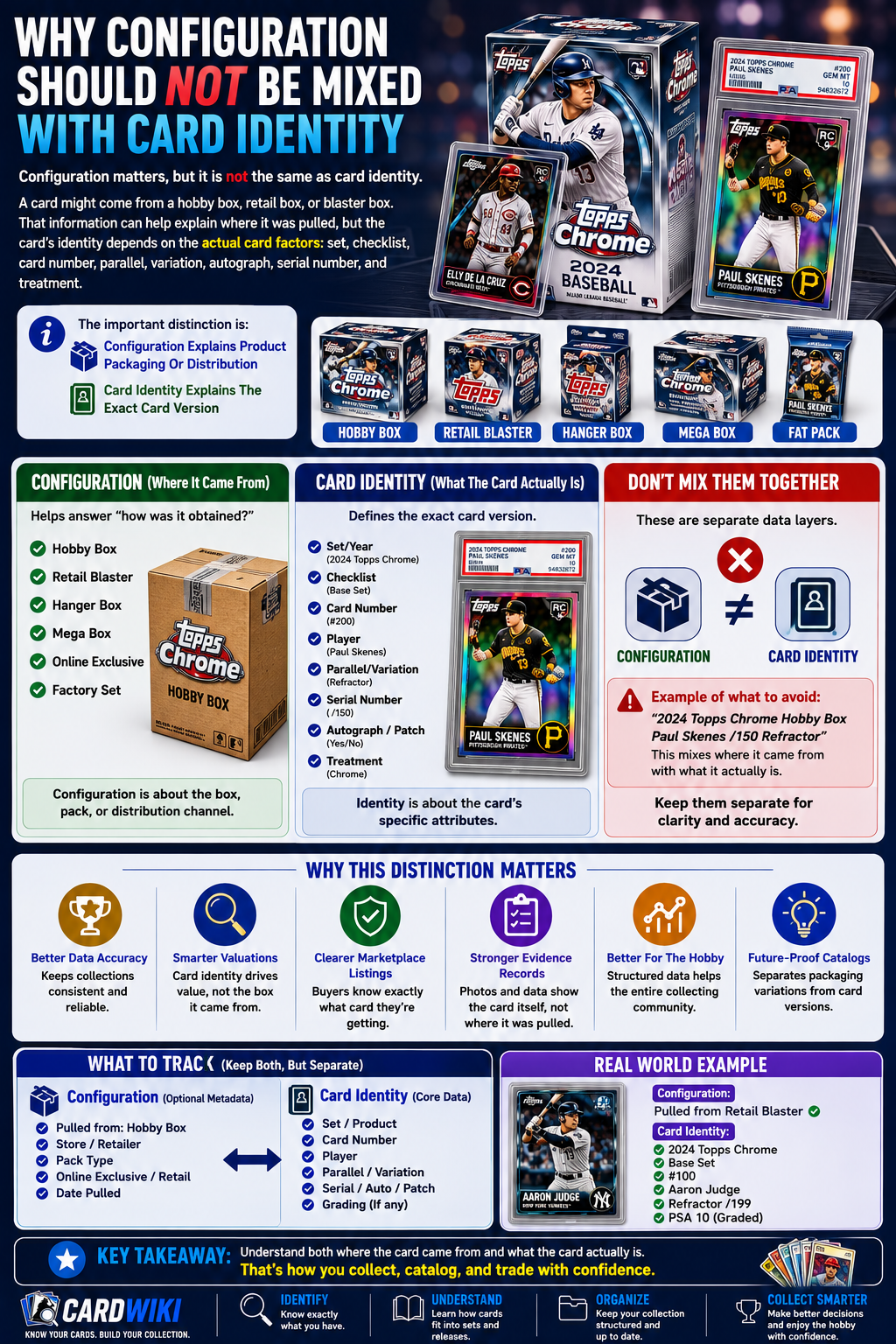
Configuration matters, but it is not the same as card identity.
A card might come from a hobby box, retail box, or blaster box. That information can help explain where it was pulled, but the card’s identity depends on the actual card factors: set, checklist, card number, parallel, variation, autograph, serial number, and treatment.
The important distinction is:
- Configuration Explains Product Packaging Or Distribution
- Card Identity Explains The Exact Card Version
Both are useful. They should not be collapsed into one field.
This is especially important for evidence, cataloging, and future marketplace data. A collector should be able to understand both where a card came from and what the card actually is.
How Release Structure Affects Card Identity
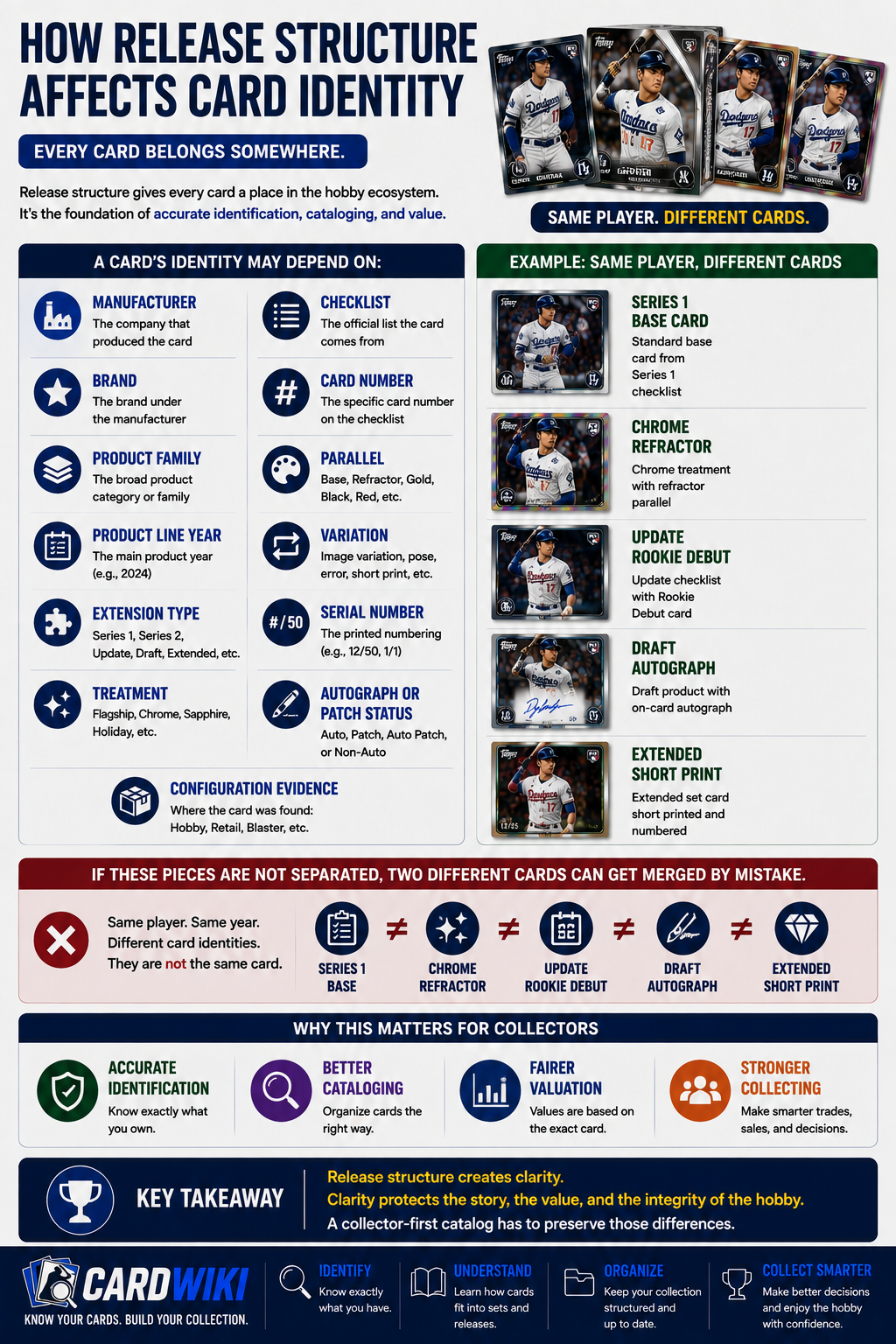
Release structure affects card identity because every card belongs somewhere.
A card’s identity may depend on:
- Manufacturer
- Brand
- Product Family
- Product Line Year
- Extension Type
- Treatment
- Checklist
- Card Number
- Parallel
- Variation
- Serial Number
- Autograph Or Patch Status
- Configuration Evidence
If those pieces are not separated, two different cards can get merged by mistake.
For example, a Series 1 base card, Chrome refractor, Update rookie debut, Draft autograph, and Extended short print may all feature the same player. But they are not the same card.
A collector-first catalog has to preserve those differences.
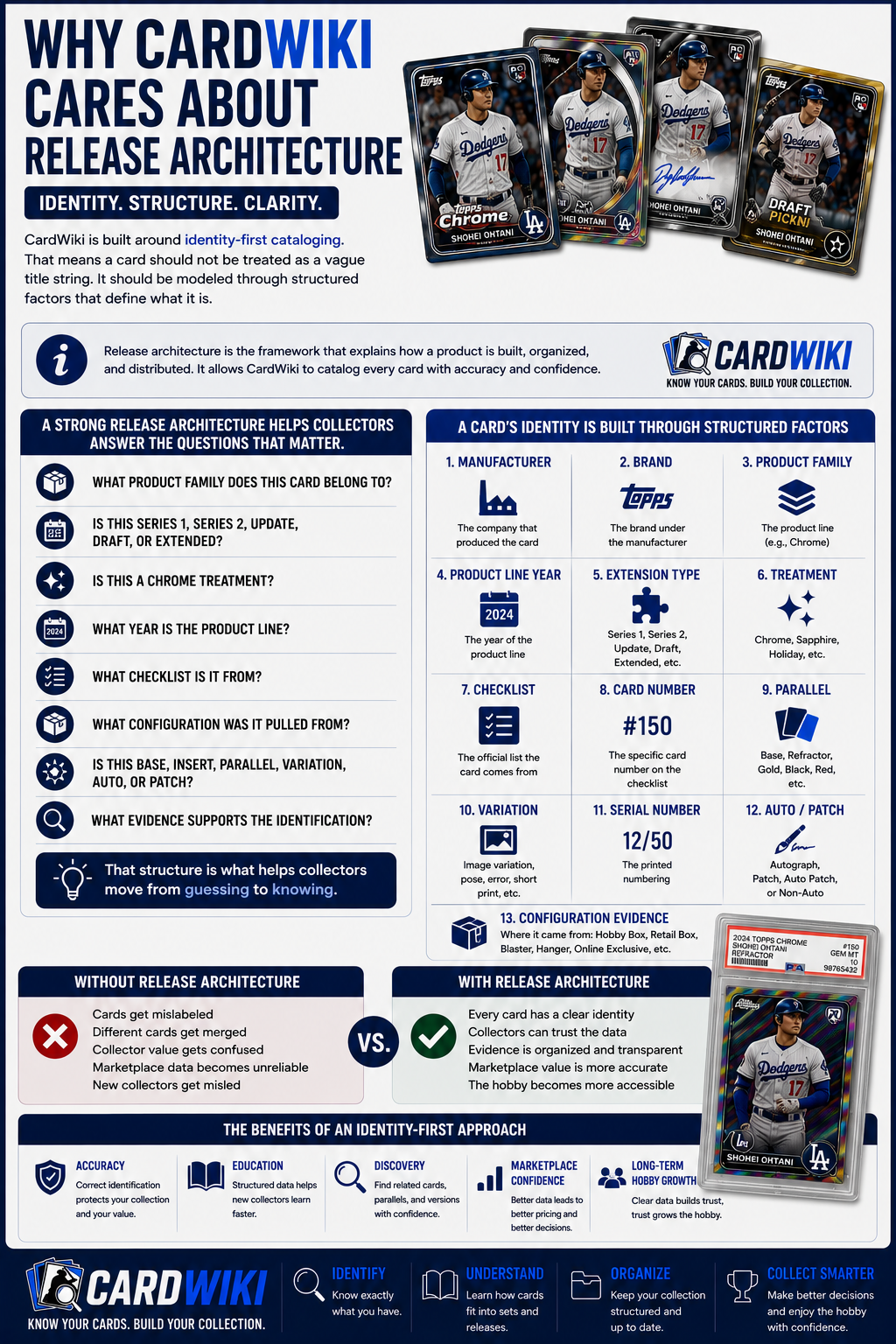
Why CardWiki Cares About Release Architecture
CardWiki is built around identity-first cataloging.
That means a card should not be treated as a vague title string. It should be modeled through structured factors that define what it is.
A strong release architecture helps collectors answer questions like:
- What Product Family Does This Card Belong To?
- Is This Series 1, Series 2, Update, Draft, Or Extended?
- Is This A Chrome Treatment?
- What Year Is The Product Line?
- What Checklist Is It From?
- What Configuration Was It Pulled From?
- Is This Base, Insert, Parallel, Variation, Auto, Or Patch?
- What Evidence Supports The Identification?
That structure is what helps collectors move from guessing to knowing.
How To Identify Which Release Your Card Is From
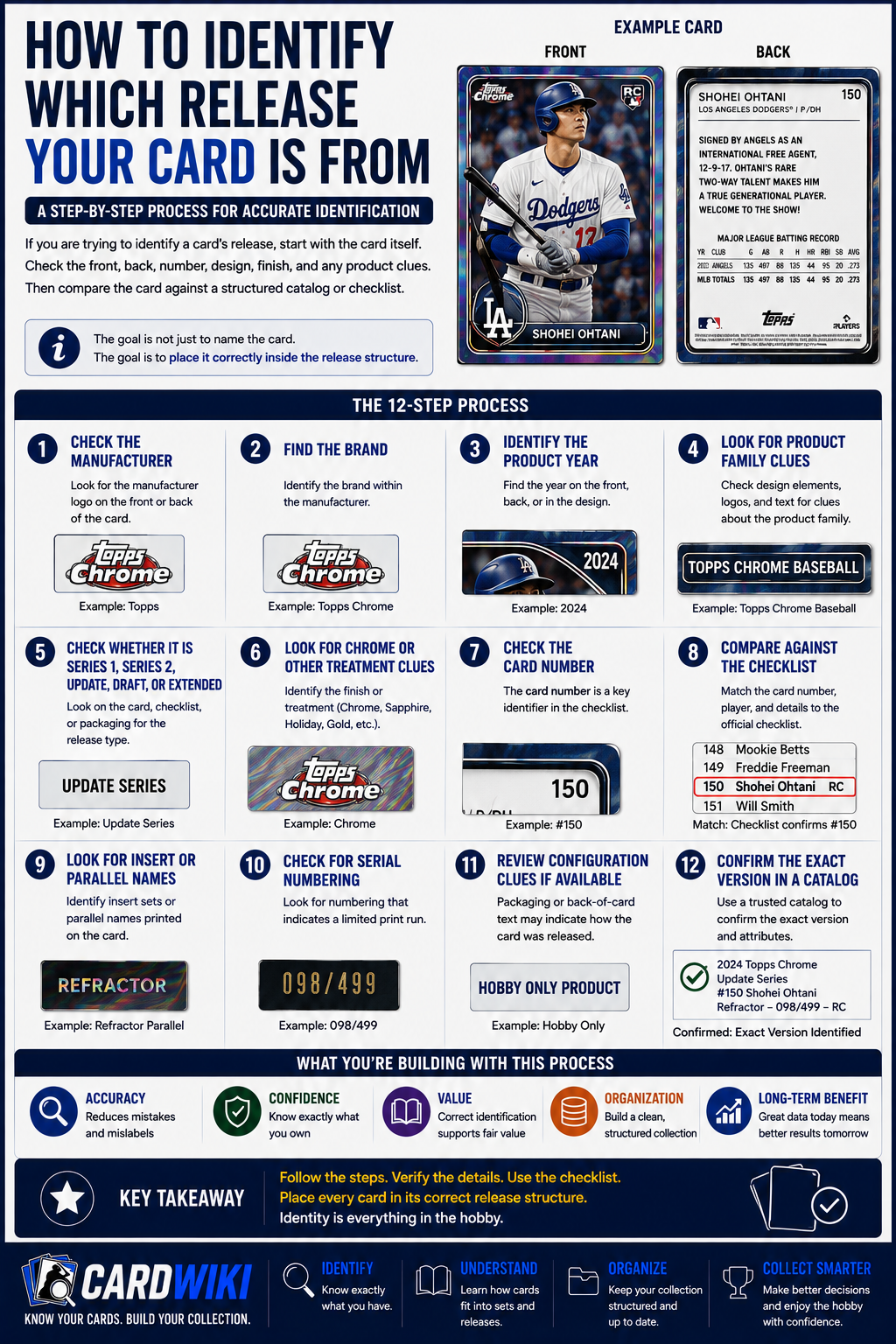
If you are trying to identify a card’s release, start with the card itself.
Check the front, back, number, design, finish, and any product clues. Then compare the card against a structured catalog or checklist.
Use this process:
- Check The Manufacturer
- Find The Brand
- Identify The Product Year
- Look For Product Family Clues
- Check Whether It Is Series 1, Series 2, Update, Draft, Or Extended
- Look For Chrome Or Other Treatment Clues
- Check The Card Number
- Compare Against The Checklist
- Look For Insert Or Parallel Names
- Check For Serial Numbering
- Review Configuration Clues If Available
- Confirm The Exact Version In A Catalog
The goal is not just to name the card. The goal is to place it correctly inside the release structure.
Common Beginner Mistakes With Trading Card Releases
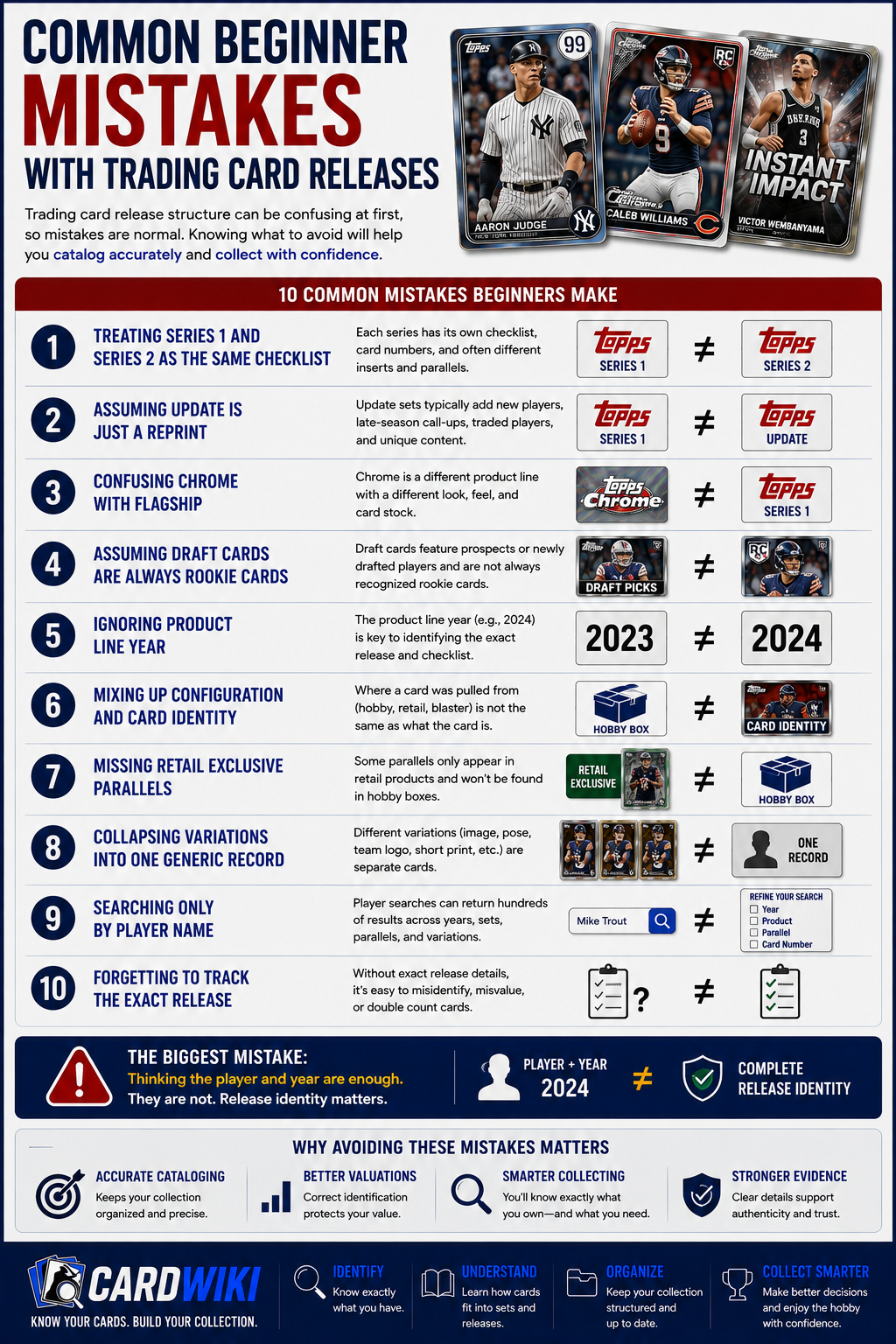
Trading card release structure can be confusing at first, so mistakes are normal.
Common beginner mistakes include:
- Treating Series 1 And Series 2 As The Same Checklist
- Assuming Update Is Just A Reprint
- Confusing Chrome With Flagship
- Assuming Draft Cards Are Always Rookie Cards
- Ignoring Product Line Year
- Mixing Up Configuration And Card Identity
- Missing Retail Exclusive Parallels
- Collapsing Variations Into One Generic Record
- Searching Only By Player Name
- Forgetting To Track The Exact Release
The biggest mistake is thinking the player and year are enough. They are not.
Release identity matters.
How To Organize Releases In Your Collection
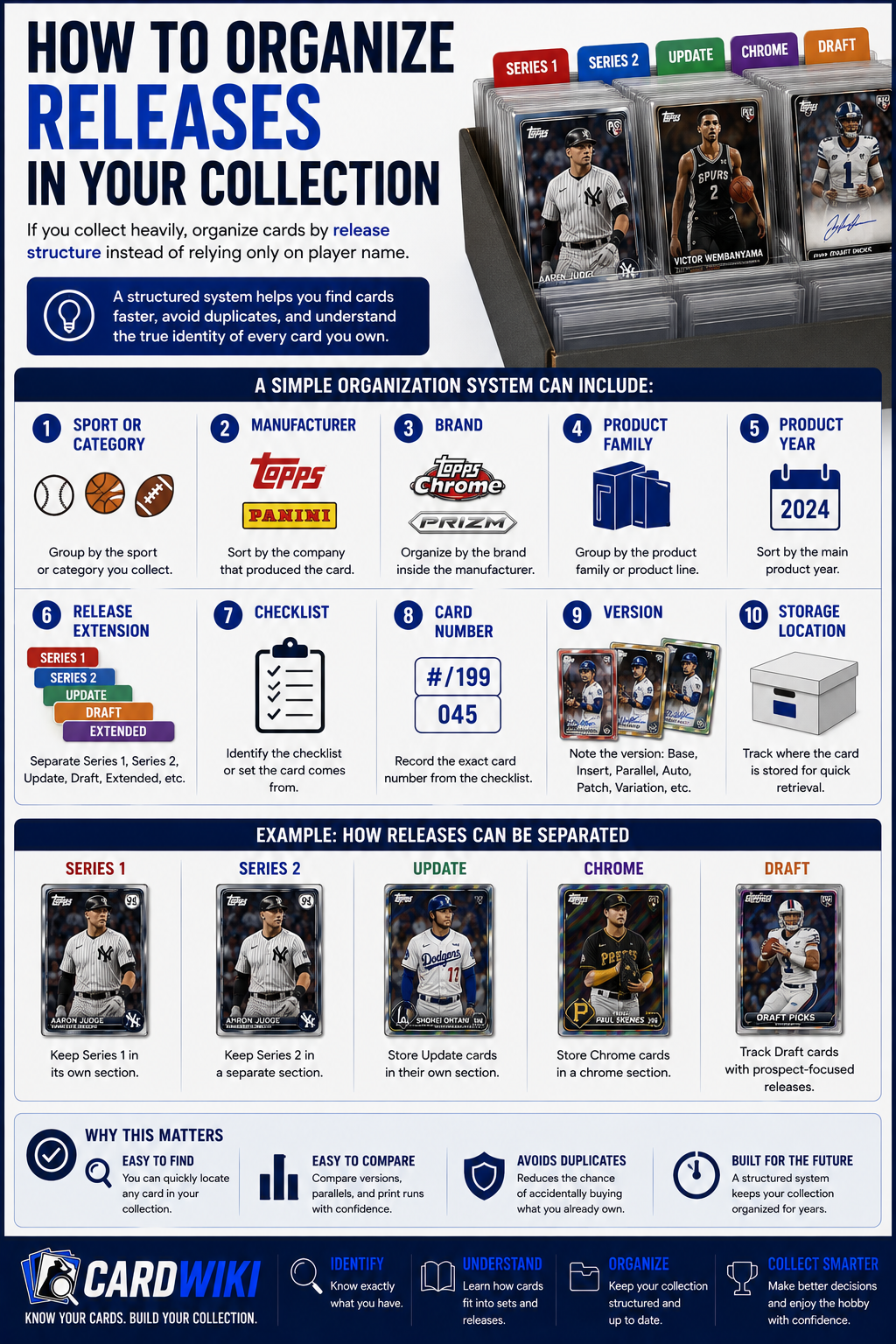
If you collect heavily, organize cards by release structure instead of relying only on player name.
A simple system can include:
- Sport Or Category
- Manufacturer
- Brand
- Product Family
- Product Year
- Release Extension
- Checklist
- Card Number
- Version
- Storage Location
For example, you might separate Series 1 from Series 2, keep Update in its own section, store Chrome separately, and track Draft cards with prospect-focused releases.
This makes your collection easier to search, compare, and manage over time.
Why This Matters For Future Collectors
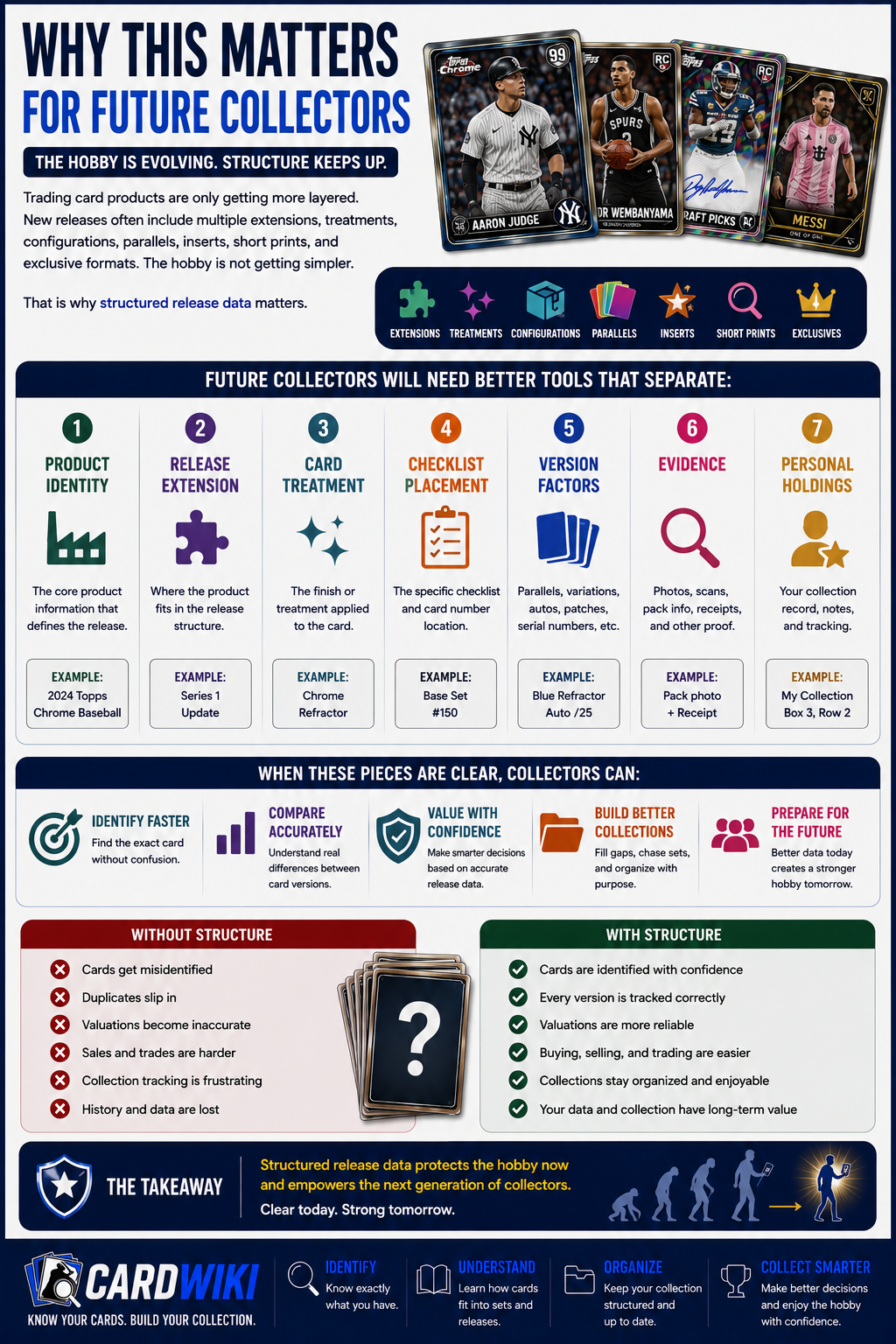
Trading card products are only getting more layered.
New releases often include multiple extensions, treatments, configurations, parallels, inserts, short prints, and exclusive formats. The hobby is not getting simpler.
That is why structured release data matters.
Future collectors will need better tools that separate:
- Product Identity
- Release Extension
- Card Treatment
- Checklist Placement
- Version Factors
- Evidence
- Personal Holdings
When those pieces are clear, collectors can understand cards faster and track them with more confidence.
Final Thoughts
Trading card releases are more than product names.
Series 1, Series 2, Update, Chrome, Draft, and Extended sets all play different roles in the hobby. They may connect to the same product family, but they should not be treated as the same thing.
A collector needs to know the manufacturer, brand, product family, product year, extension type, treatment, checklist, configuration, and exact card version.
That sounds like a lot, but the purpose is simple: clarity.
CardWiki is built around that clarity. When release architecture is structured properly, collectors can understand what they own, how cards connect, and why similar-looking cards may not be the same.
If you are trying to understand which release your card belongs to, CardWiki can help you explore structured catalog records, compare related versions, and track your collection with more confidence.
FAQs
What Does Trading Card Releases Explained Mean?
Trading card releases explained means breaking down how products like Series 1, Series 2, Update, Chrome, Draft, and Extended sets fit into the larger hobby structure.
What Is Series 1 In Trading Cards?
Series 1 is usually the first major checklist wave in a product cycle and often introduces the flagship design for that year.
What Is Series 2 In Trading Cards?
Series 2 is usually the second checklist wave that expands the main product year with more players, rookies, inserts, and parallels.
What Is An Update Set?
An Update set is usually a later release that adds traded players, rookie debuts, late-season additions, all-star content, or postseason themes.
What Is A Chrome Release?
A Chrome release usually refers to a glossy, shiny, premium-style product or treatment with its own checklist, parallels, inserts, and autographs.
Are Draft Cards The Same As Rookie Cards?
Not always. Draft cards often focus on prospects or newly drafted players, while rookie cards usually belong to a recognized rookie-card window.
What Is An Extended Set?
An extended set is a release or checklist expansion that adds more cards beyond the main product structure.
Why Does Release Structure Matter?
Release structure matters because it helps collectors identify the exact card, separate similar versions, track collections, and avoid merging different cards into one record.


